User management
user
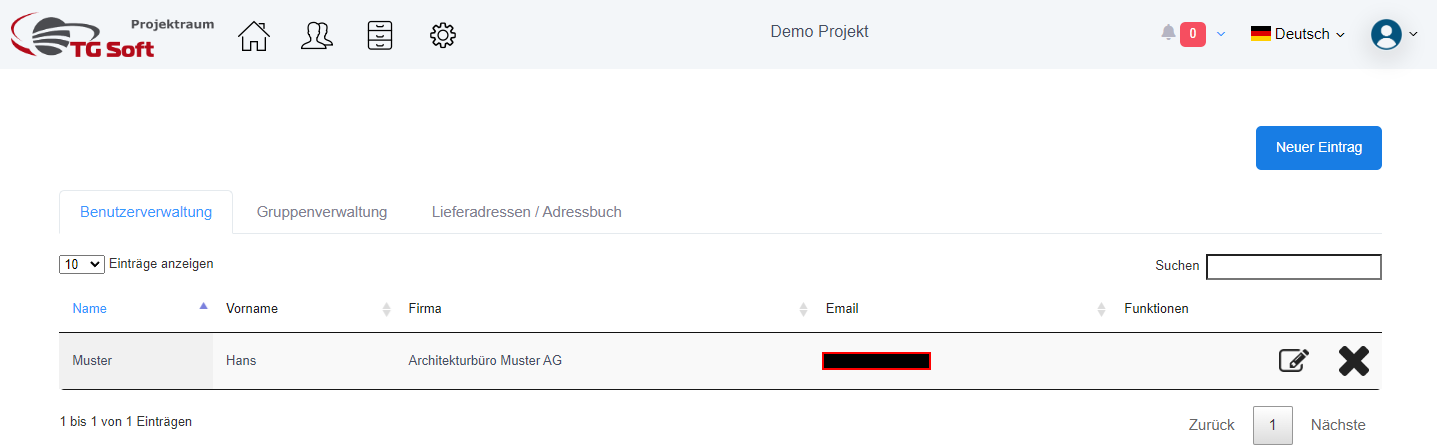
This is where the individual users are managed. If you want to create a new user, you can add it using the "New Entry" button.
User creation: setup and role assignment
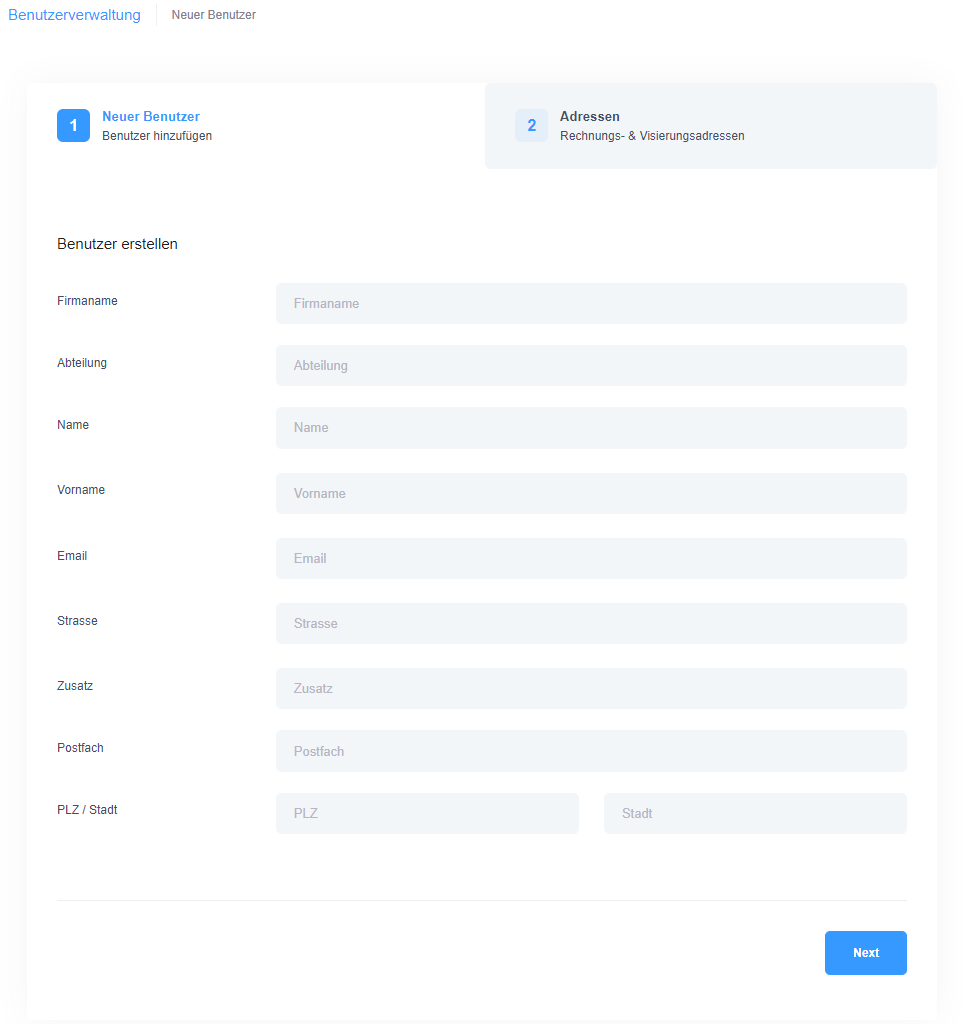
To create a new user in the system, you must first enter all the relevant information of the user in the form provided. This includes basic information such as name, email address and other personal details that are necessary for identification and contact.
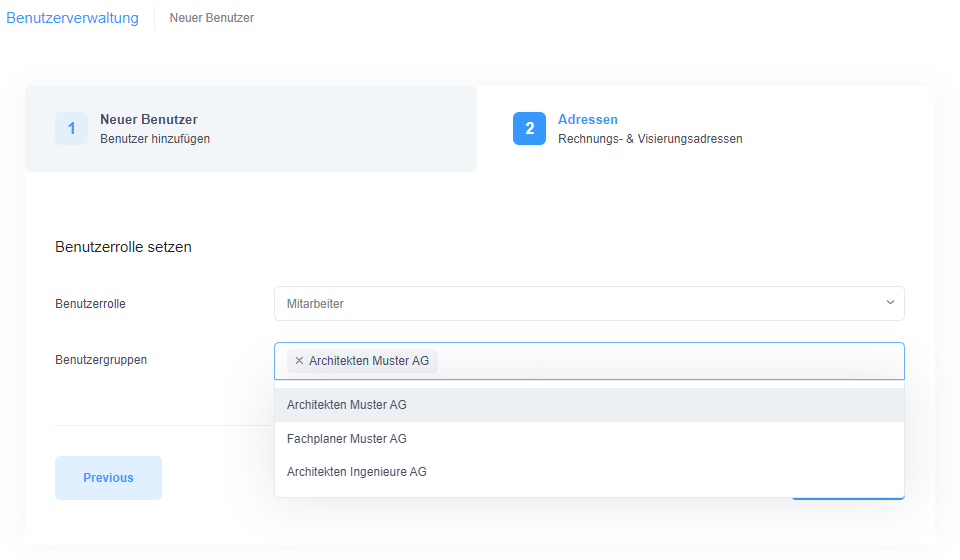
After you have entered your personal data, the important step of defining roles follows. There are four user classes available in the system: Administrator, Project Manager, Employee and Guest. Each of these classes is equipped with different authorizations and access rights to meet the requirements of different tasks and responsibilities. For a detailed description of the individual user roles and their authorizations, please refer to the corresponding section in the user manual, which you can access via this link User Roles .
In addition to role assignment, you have the option to assign the new user to one or more groups. Groups can be used to simplify permission management and to group together users who work on similar tasks or projects.
Once you have entered all the necessary information and assigned the appropriate roles and groups, you can complete the process by clicking on the 'Save' button. This will automatically send an email to the new user in the system containing the automatically generated login details. This makes it easier for new users to get started by allowing them to access the system directly and assume their role in the project or organization.
groups
Several users can be grouped together. This function allows you to grant access to all members of a group at the same time, for example for project assignments. Instead of assigning permissions to individual users separately, you can efficiently define this for the whole group at once. Orders for plot orders can also be created in groups, which simplifies administration.
Delivery addresses / address book
The address book or delivery addresses contain recipient data that is used exclusively for plot orders. This address data does not represent users who have access to the project space. Instead, it is contact information that can be used to select the delivery address for plot orders.