Plotaut shopping cart
In the plotting basket you can add individual documents as well as entire folders for plotting jobs. This allows you to quickly and efficiently prepare materials for plotting.
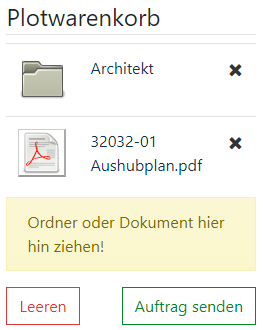
Add documents and folders:
- Use symbol:
- To add documents or folders, click the corresponding printer icon on the right.
- Use the drag-and-drop function by dragging the selected files with the mouse into the yellow field provided. This field is specially marked to show you visually where the files should be stored.
- Adding entire folders:
- If you add an entire folder to the plotting basket, all documents in the selected folder and its subfolders will automatically be added to the plotting job.