Search
The search function in the file platform allows users to effectively search the extensive amount of data in their document management. Users can search for specific documents by entering search terms that appear in the titles, descriptions or metadata of the documents.
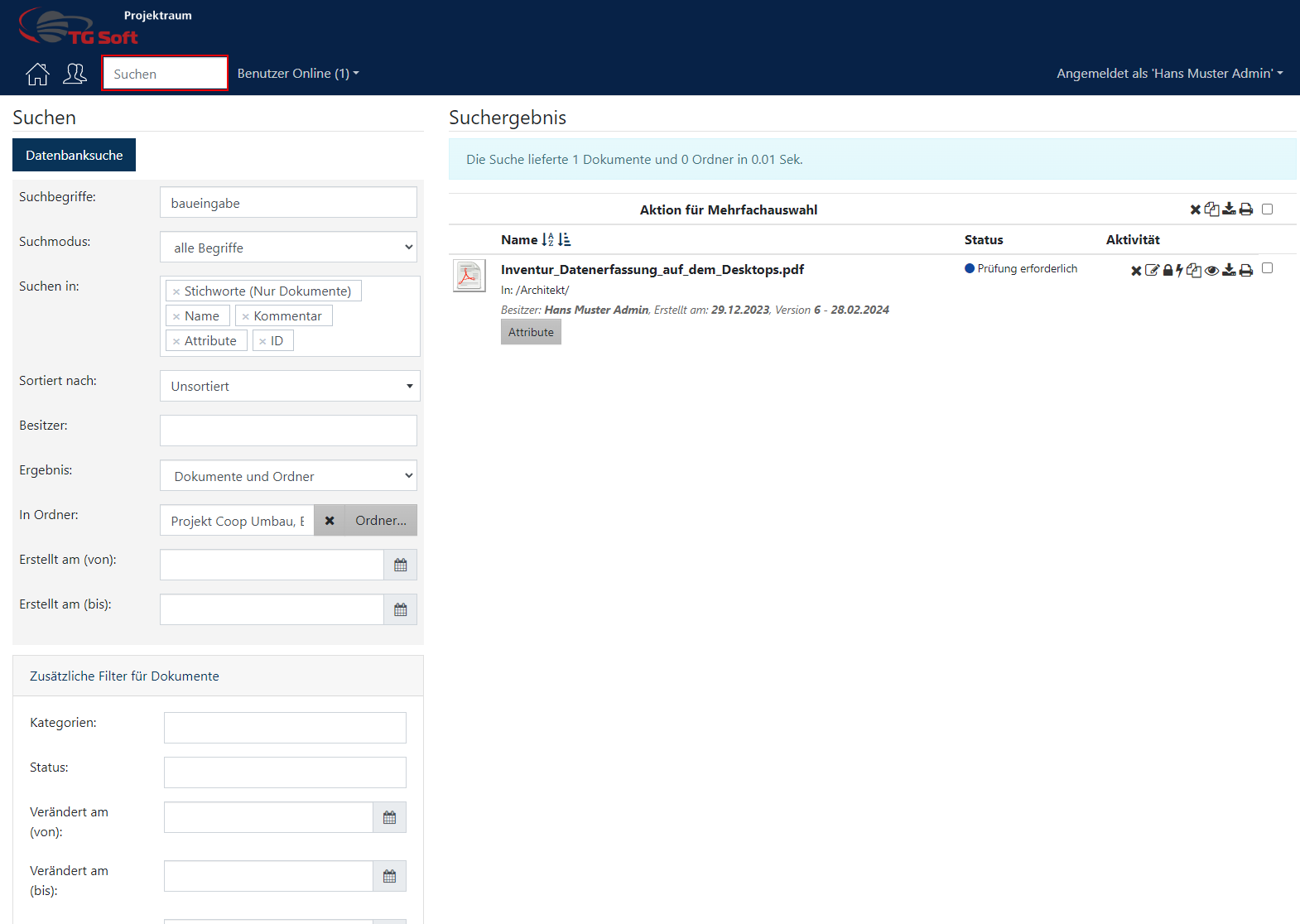
Detailed search:
- Full-text search: The file platform supports full-text search, which allows you to search content within documents. This is particularly useful for finding documents that contain specific information.
- Advanced Search: Users can use the advanced search feature to refine their search using specific parameters such as creation date, author, document type, and other criteria.
Filter options
Categories and attributes:
- Filter by categories: allows you to filter documents by previously defined categories. This is useful when users are looking for documents associated with a specific topic or project.
- Filter by attributes: Attributes that provide additional metadata about documents can also be used as filter criteria. For example, users can search for documents that are associated with a specific customer or that have a specific contract number.