my Documents
In the My Documents view of the file platform, documents are categorized according to various criteria and work status to give users an optimized overview of their tasks and responsibilities.
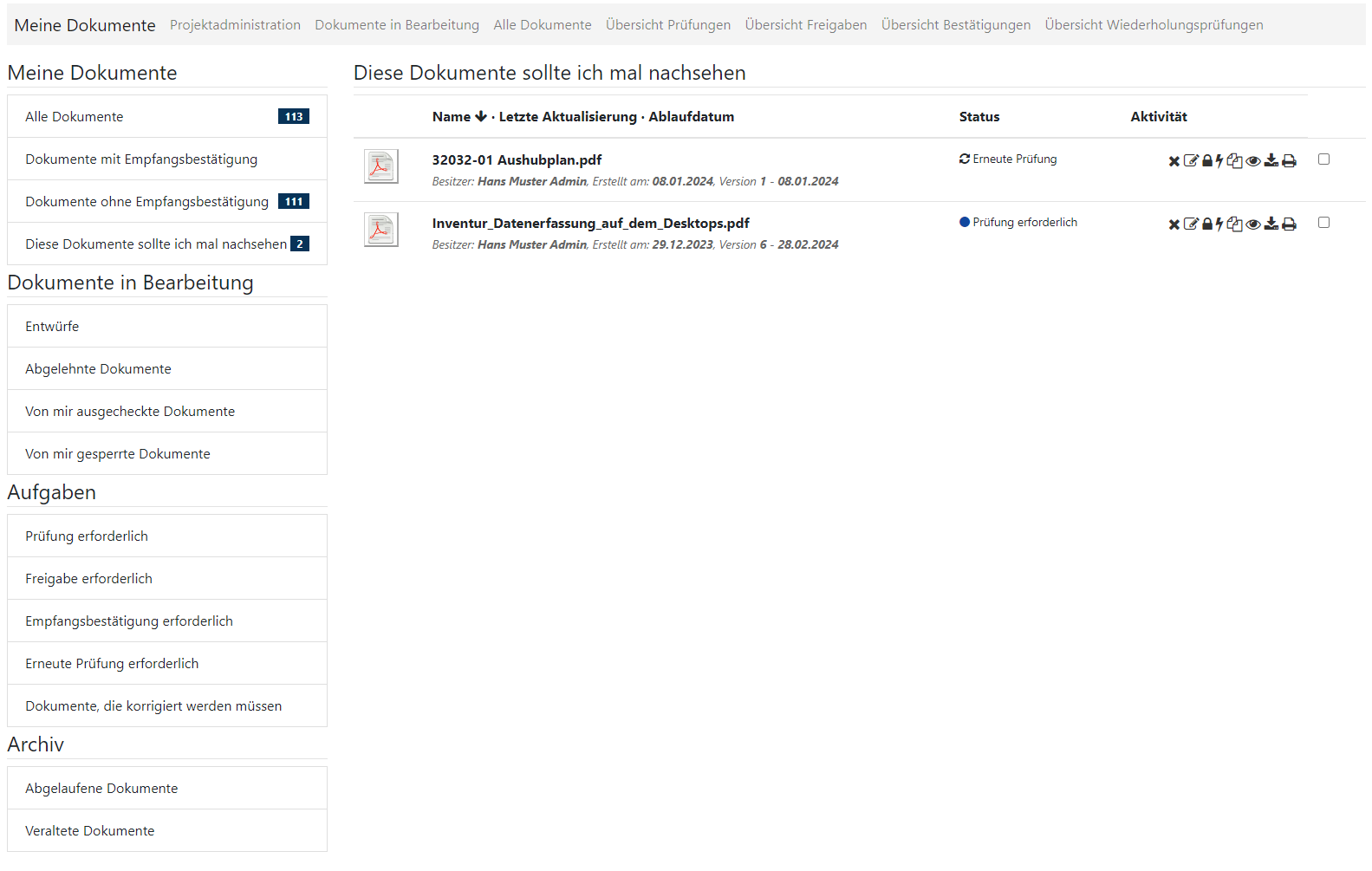
my Documents
all documents
- Displays all documents assigned to the user or to which the user has access rights.
Documents with/without acknowledgement of receipt
- Separates documents that require a receipt from those that do not. This makes it easier to track documents that still need to be acknowledged.
I should check these documents
- A special reminder feature that alerts users to documents that may require their attention, such as documents that require re-examination or review.
Documents in progress
drafts
- List drafts created by the user that have not yet been finalized or submitted for review/approval.
Rejected documents
- Displays documents that were rejected in the approval process.
Documents borrowed/blocked by me
- List of documents that the user is currently editing and that are locked to other users.
Tasks
Review/approval/acknowledgement of receipt required
- These sections list documents that require specific actions from the user, such as reviewing documents, performing approvals, or acknowledging receipt.
Re-examination required
- Shows documents that have been returned after a review and require further revision or review.
Documents that need to be corrected
- Identifies documents that contain errors or problems that need to be corrected by the user.
archive
Expired/Obsolete documents
- List documents that have either reached their expiration date or are considered obsolete for other reasons.