Document details
The detail view of a document in the file platform is the hub for all information and actions related to a specific document. This view allows users to review detailed information, manage document status, and perform various document-related actions.
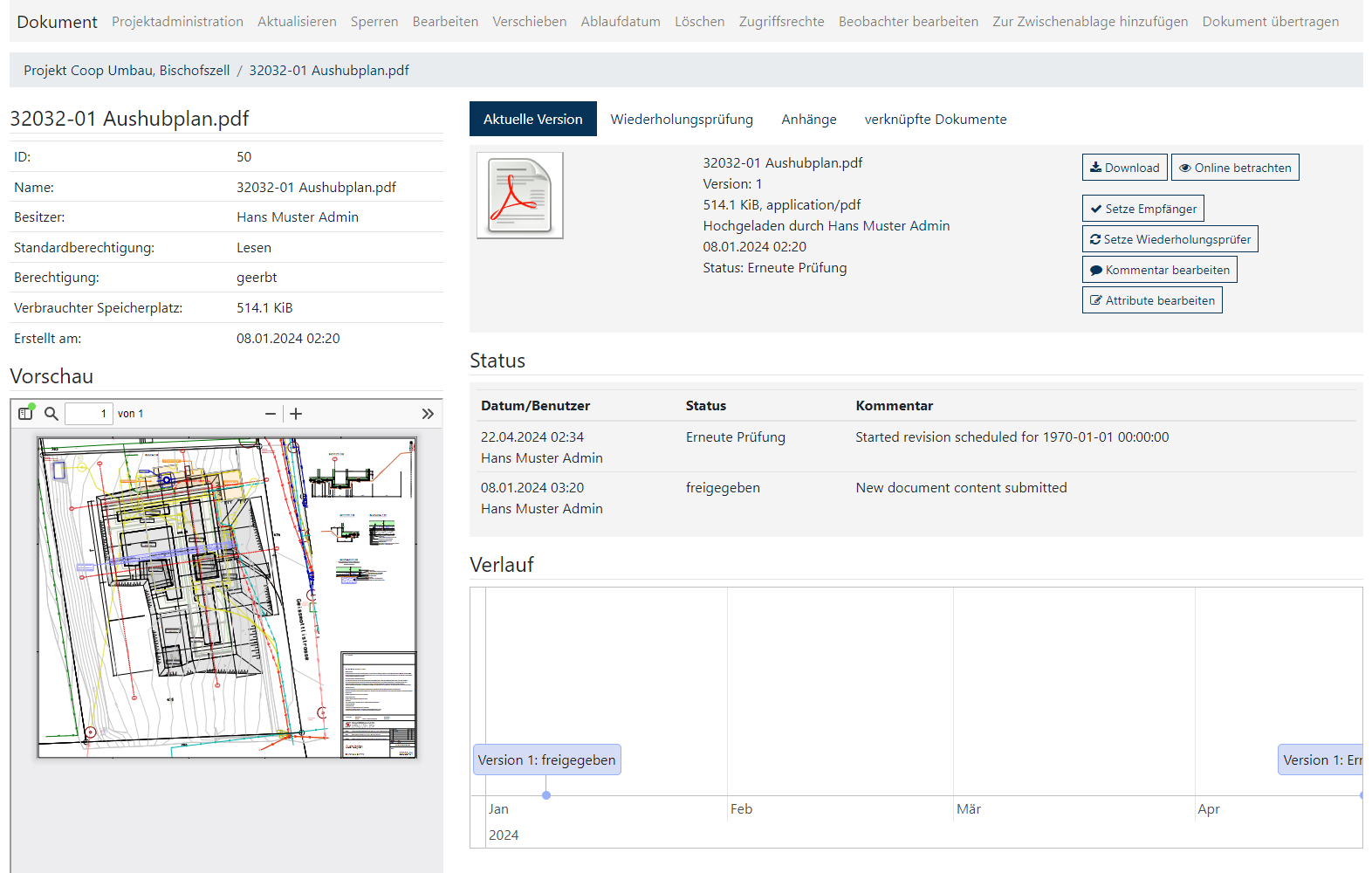
Overview of the detailed view
General information
- ID and Name: Unique identifier and full name of the document.
- Owner: The user listed as the owner of the document.
- Default Permission: Displays the basic permission level set for the document, for example “Read”.
- Permission: The inherited permissions applied to the document.
- Storage space: The file size of the document.
- Creation Date: The date and time the document was created.
Preview area
- An interactive window that displays a preview of the document. Users can scroll through the document to review the content live.
Status and activity area
- Displays important information such as the date and time of the last activity, the current status of the document, such as "Re-Check", and comments on these status changes.
Document version and history
- A visual representation of the document lifecycle, showing the progress and different states of the document.
Area of action
- Download: Allows users to download the latest version of the document.
- View online: Provides the ability to open the document directly in a web browser without downloading it.
- Set Recipient: Users can specify who must send a receipt for the document.
- Set repeat checker: Here you can specify a checker who is responsible for regularly checking the document.
- Edit Comment: Users can add or edit comments to the document that may be relevant to the review or approval process.
- Edit Attributes: This option allows you to add or modify specific attributes associated with the document for better categorization and search.